Software for contractors with crews out and machines in the yard
Built for the field. Ready for the yard.
Crew time, safety forms, work zones, hour meters and service due in one app. It works with no signal, and it carries your company's name.

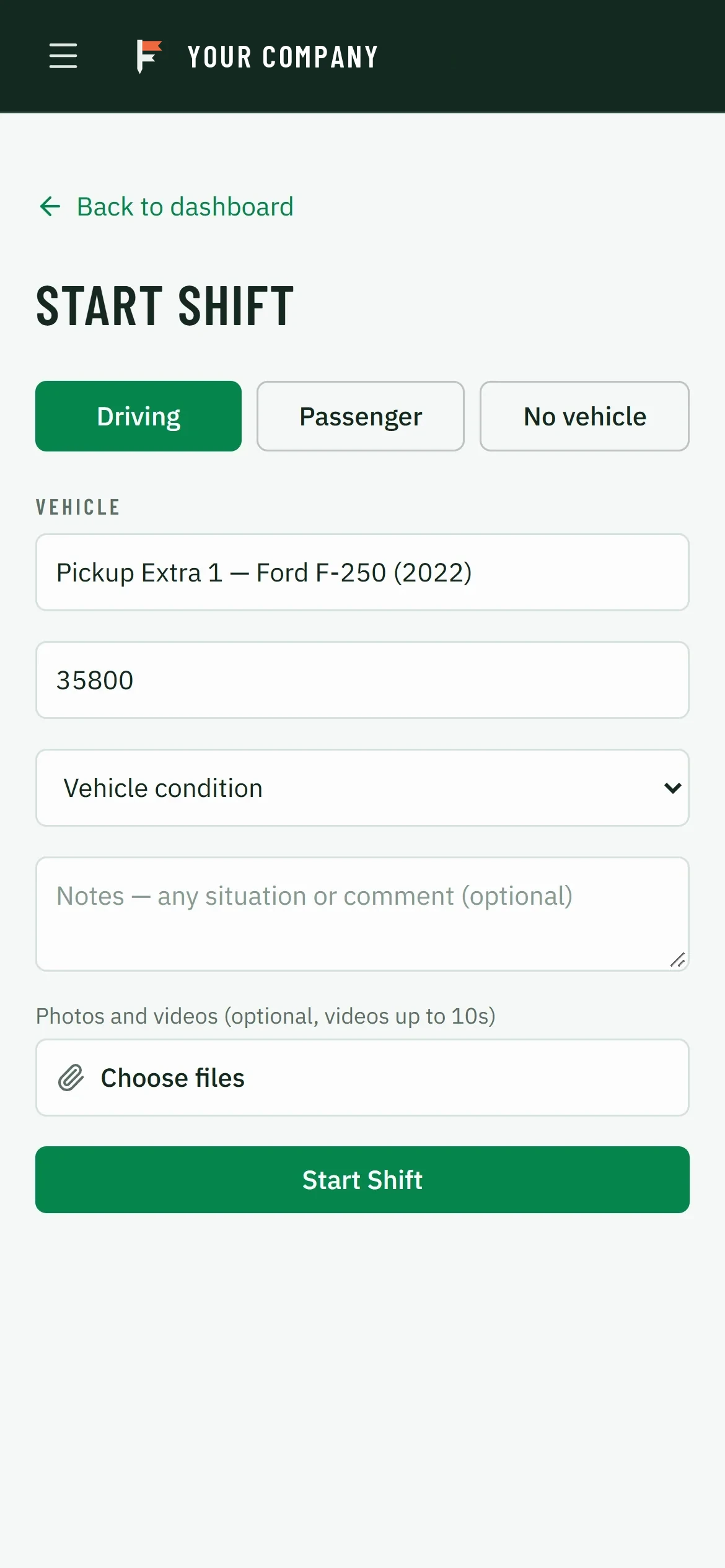
Real screens from Fieldyard. Your company name goes where it says Your Company.
- Works with no signalSaves on the phone, sends later
- iPhone and AndroidNo app store needed
- Your name on itYour colours, your machines
- Your dataExport it any time
- Made in BCNorth Vancouver, British Columbia
What it does
Two places you work. One app that connects them.
Most contractors run the field on one app, the yard on a spreadsheet and safety on paper. Fieldyard puts all of it on the same phone, so the office sees what the crew sees.
Field
what happens out on the job- Crew timeThe foreman clocks the crew in and out. Hours go straight to timesheets for payroll.
- Safety formsHazard assessments, inspections and sign-offs filled on the phone, signed on the spot.
- Work zones on a mapEach job's zones, permits and client documents on a map that opens with no signal.
- Incident photos and videoTaken on site, attached to the report, made smaller so they upload on weak signal.
- Documents in your pocketManuals, permits and certificates saved on the phone, searchable offline.
Yard
what keeps the machines running- Hour meters and kilometresEvery unit's reading in one list, updated by the operator at the end of the shift.
- Service dueKnow which machine needs service before it breaks down in the middle of a job.
- Pre-use inspectionsDaily checks with photos. A failed item reaches the office the same day.
- Parts and inventoryWhat's in stock, what's on order, and which parts went on which unit.
- Reports and exportsSend hours, inspections and costs to Excel or PDF when the client or the auditor asks.
See it working
The real app. Not a mock-up.
These are the screens your office and your crews use every day. Pick one.


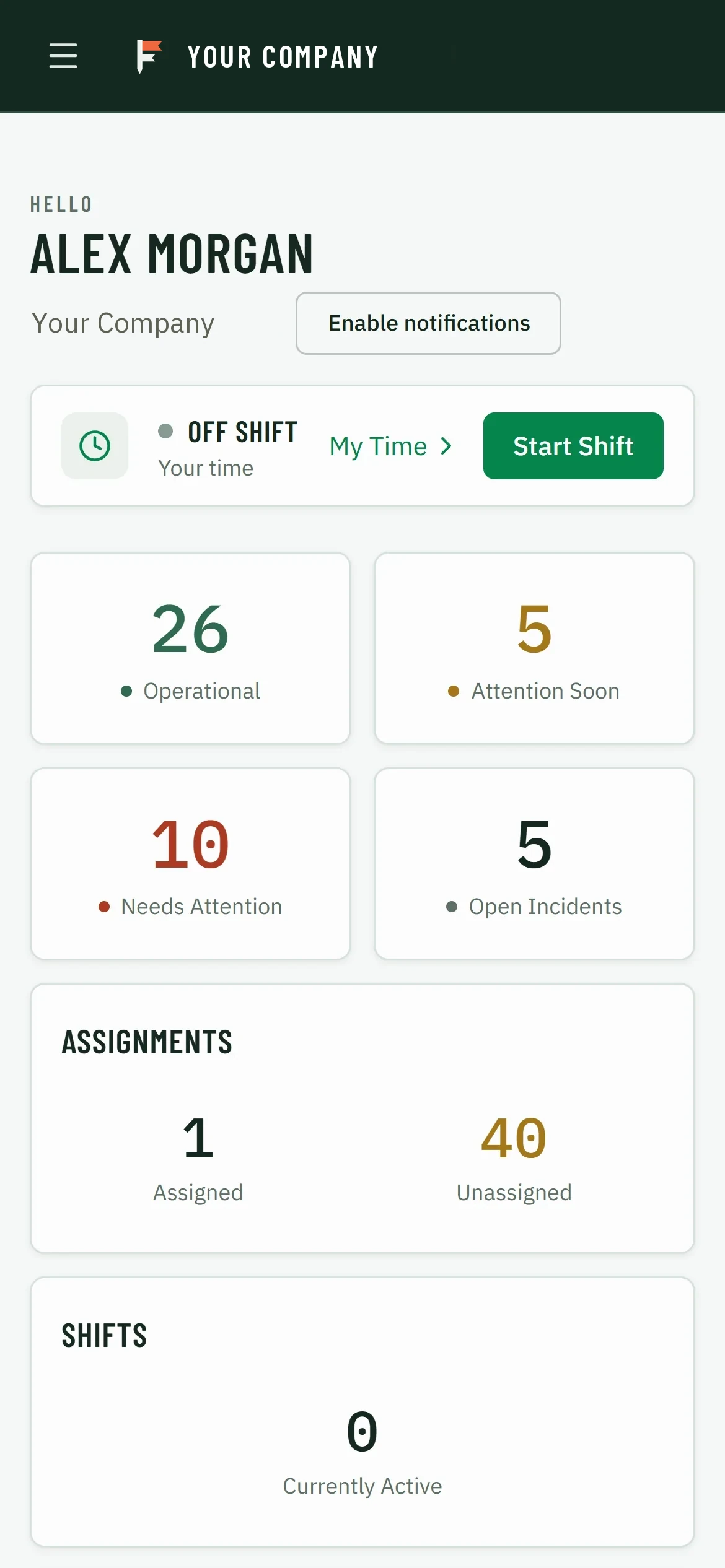
Built for no signal
The crew keeps working when the bars drop.
Everything the crew needs is saved on the phone. Forms, time and photos wait on the device and send themselves when the truck gets back in range. Nobody has to remember to press anything.
- 06:42Crew 2 clocked inSent
- 07:05Hazard assessment signedSent
- 11:30Mulcher 01 at 1,842 hSent
- 14:10Pre-use inspection, 2 photosSent
Your name on it
Your crews open your app, not someone else's.
Each company gets its own copy of Fieldyard with its own name, colours and machine types, and only the parts it uses. Try it.
Fleet is the base. Turn the rest on or off.
Who it's for
Any company with people on site and equipment to look after.
Land clearing
Mulchers, excavators, low-beds and crews spread across remote blocks.
Excavation
Machine hours, daily inspections and site paperwork for the general contractor.
Traffic control
Sign trucks, arrow boards and crew time across many short jobs.
Utility and vegetation
Work zones along lines and roads, permits that have to be on hand.
Paving and civil
Heavy units, fuel trucks and crews that move every few days.
Landscaping
Trucks, trailers and small equipment shared between crews.
How it works
From first call to crews using it.
The first call
We go through your machines, the forms your crews fill in now, who works where, and what paperwork your clients ask you for.
You get a list of the parts of Fieldyard you'd use and the ones you can leave out.
Setup
We build your copy: your company name and colours, your machine list with their current hours, and your paper forms turned into phone forms.
You get your own app at your own web address, and a login for every person in the office and in the crews.
First weeks on the job
We train the foremen and the office. Crews install it on their own phones and start their shifts from it.
You get hours, inspections and forms coming in from the field, ready to export to Excel or PDF.
After that
When you need a new form, a new machine type or a change to how something works, you ask and it gets added to your app.
Privacy and security
Your company's data stays your company's.
Hours, pay, incidents and client permits are private. Fieldyard is set up so they stay that way.
Its own install
Each company runs on its own copy of the app with its own database. Nobody else's data sits next to yours.
Each person sees their part
Roles decide who sees payroll, costs and reports. Crews see what they need for the job.
A record of every change
The History screen shows who changed what, and when.
Take it with you
Hours, inspections, forms and files go out to Excel or PDF whenever you want.
Pricing
No setup fee. One monthly price per person.
Every trade pays the same price per person. You pay month to month and can cancel whenever you want, and after every 12 paid months the next one is free.
5 separate apps
Priced per person. Shown for your 30 people.
Fieldyard
Priced per person: 30 × $69 a month.
- $0 setup
- $69 per person a month
- 3 people minimum
- No contract
- 1 month free every year
- Unlimited storage
- Hosting, backups and support
- Training included
Every 12 paid months, the next month is free. Separate apps: public list prices of popular tools for each job, November 2026, US dollars at 1.40 to CAD. Yours may be different. Prices in Canadian dollars, taxes extra.
Questions
Things contractors ask first.
Does it really work with no signal?
Yes. Time, forms, photos, maps and documents are saved on the phone. Everything sends on its own when the phone gets signal again.
Do my crews need to download something from the app store?
No. They open a link and add it to their home screen. It works on iPhone and Android.
Who owns the data?
You do. You can export your hours, inspections, forms and files to Excel or PDF at any time.
Why per person?
Because it is the simplest rule there is. Everyone who logs in counts the same, in the field or in the office. It works the same for every trade, and your bill only changes when your team does.
Is there a contract or a setup fee?
No. There is no setup fee and no contract. You pay month to month and can stop any month. Stay with us for 12 months and the next month is free, every year.
Can you add something we need?
Yes. Tell us what your crews or your clients need, and we add it to your app.
What happens if we stop?
You get all your data. Hours, inspections, forms and files export to Excel and PDF, so nothing stays locked in.
Book a demo
See it set up with your company's name.
Tell us who you are and what you run. We'll show you a version with your name and your machines on it in a 20‑minute call.